



If you forgot your password and your email in the database is good, use the Reset Password form.
Check your spam folder if you don't get the Reset Password email within a couple of minutes.
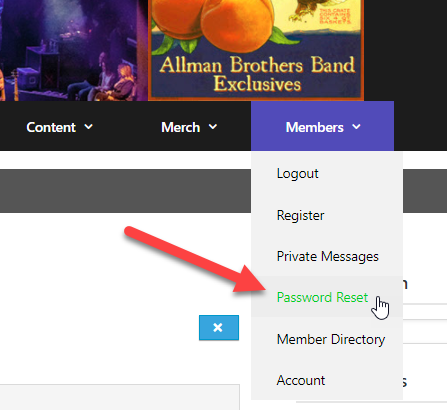
To change your password, login and to Members -> Account:

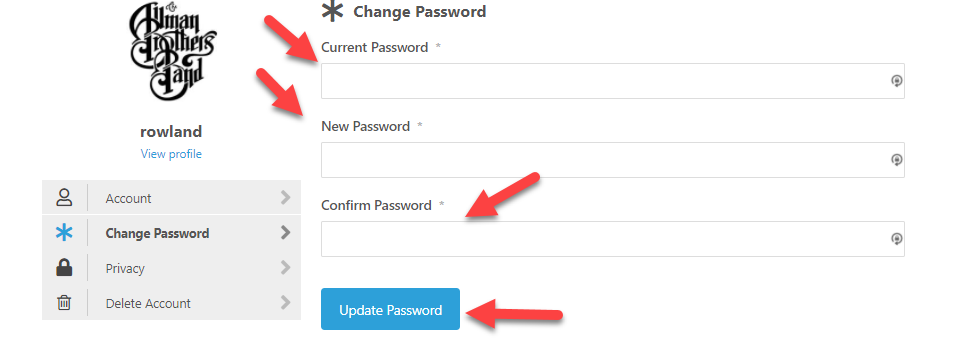
Click Change Password:

Enter your current password and new password (the new goes in both New Password and Confirm Password fields). Click Update Password
Done!
I'll get right to it...

I'm still trying to change my password to something that I can easily remember - as opposed to the truncated series of numbers that you e-mailed me. I've followed your instructions - still can't figure out how to CHANGE the password. When I enter the desired password I am told THIS IS NOT YOUR PASSWORD.
Never mind - figgered it out! 😉
@rusty - Anything we should do to improve the instructions?
I'll get right to it...
@rowland- just ell anybody over the age of 60 to recruit their 2-generations younger relatives to help them! 😉
